
A point-of-sale system affects every shift: orders, payments, kitchen communication, employee permissions, reporting, and the customer data behind retention. The right SpotOn POS decision therefore starts with workflows and economics—not a demo screen.
What is SpotOn POS?
SpotOn offers integrated payments and business software. Its restaurant platform combines point-of-sale functions with proprietary terminals and optional connected products that can include online ordering, marketing, loyalty, reservations, scheduling, kitchen display, and profitability analysis. SpotOn also markets a simpler terminal path for non-restaurant small businesses, so buyers should confirm which product family is on the quote.
That distinction matters. A full-service restaurant may need table maps, coursing, modifiers, split checks, handheld ordering, kitchen routing, and daypart reporting. A salon, contractor, or simple retail counter may mainly need reliable payments, receipts, tips, employee tracking, and basic sales reports. Buying the larger system without the workflow need adds complexity; buying a payment terminal when the operation needs true restaurant routing creates workarounds.
| Operating model | Likely starting point | Must-demo workflows |
|---|---|---|
| Full-service restaurant | Restaurant POS with stations and handhelds | Table service, modifiers, courses, split/merge checks, tips, kitchen routing, outage mode |
| Quick service / café | Counter station and customer-facing payment | Order speed, modifier flow, receipt/KDS routing, online-order throttling, refunds |
| Multi-location restaurant | Custom restaurant configuration | Menu governance, consolidated reporting, roles, location transfer limitations, integrations |
| Salon or simple storefront | Small-business terminal or fit-specific software | Tips, staff attribution, receipts, offline behavior, appointment/loyalty integration |
Hardware and front-of-house workflow
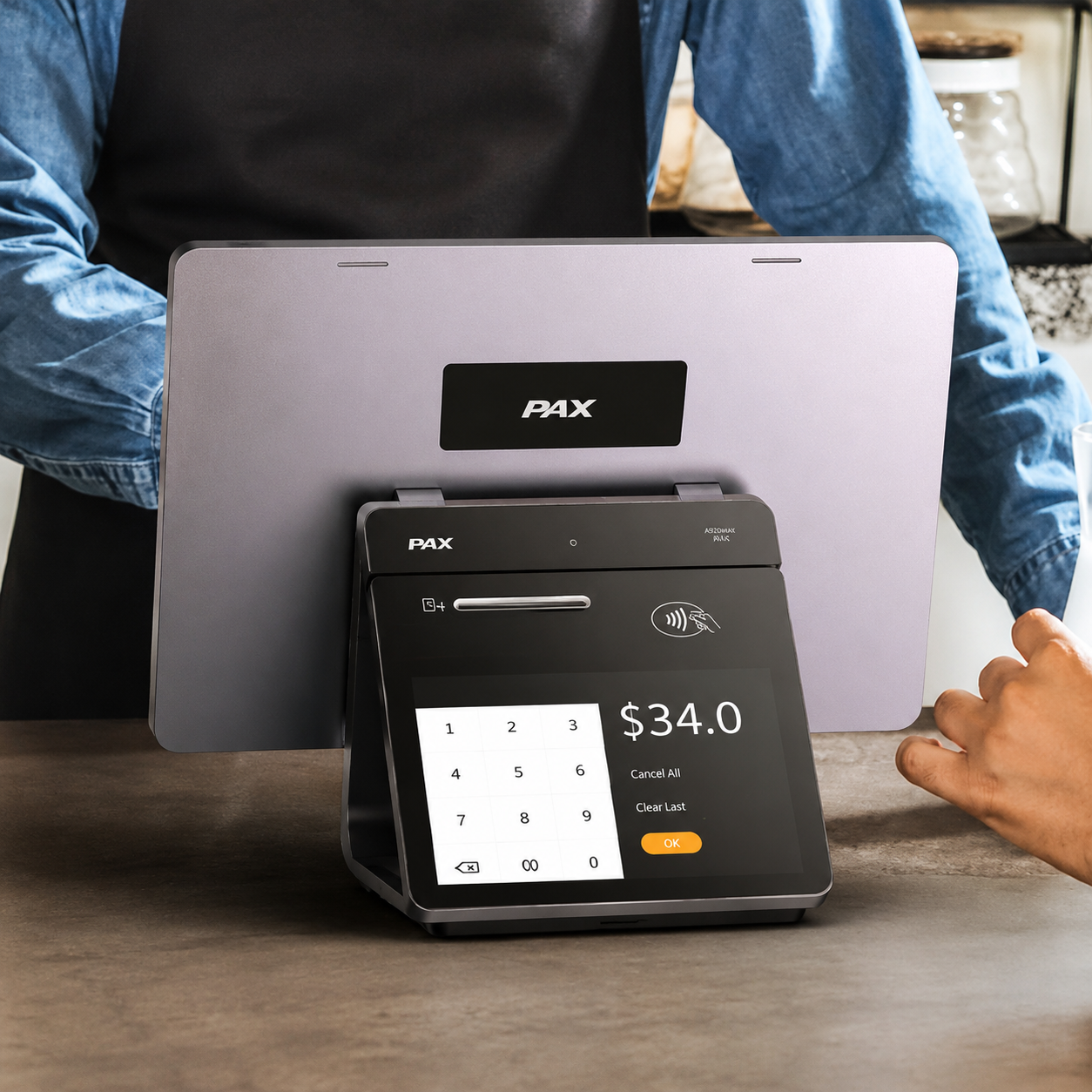
SpotOn’s public restaurant hardware page lists a Station 15 with a 15.6-inch touchscreen, a 6.7-inch handheld, a smaller Station 10, customer-facing displays, payment readers, printers, drawers, network equipment, and related accessories. It also states that restaurant hardware is proprietary and cannot run arbitrary third-party software. [2]
What proprietary hardware changes
A closed hardware/software stack can simplify support boundaries: the vendor controls the device, software, and update path. The trade-off is reduced hardware portability. If the relationship ends, do not assume the terminals can be repurposed with another POS. Ask who owns financed or included devices, what must be returned, and what happens to data access after termination.
Run a shift simulation, not a feature tour
- Enter your most complex order with every real modifier and allergy note.
- Split a check three ways, move an item, void an item, apply a discount, and reopen a check.
- Route drinks and food to different production devices.
- Take a handheld payment, adjust a tip, refund it, and inspect the audit trail.
- Disconnect the internet in a controlled test; document which payments and operations continue.
- Restore connectivity and reconcile tickets, tips, batches, and printers.
A strong demo uses your menu, roles, edge cases, and network—not a vendor’s perfect sample restaurant.

Core software: ordering, reporting, and management
SpotOn’s published restaurant plans include ordering, payments, table layouts, menu management, reporting, and 24/7 support. The company’s reporting page describes daily recap, sales summary, product mix, order list, payment summary, batches, settlements, and labor/payroll reports, plus CSV export and mobile access. [1] [3]
The useful question is not “Does it have reports?” but “Can a manager answer the next operational question without rebuilding the data?” Test:
- Sales by location, daypart, order source, fulfillment type, employee, category, item, and modifier.
- Discount, void, refund, comp, cash-drawer, and tip-adjustment audit trails.
- Gross sales versus net sales, taxes, service charges, tips, fees, refunds, and deposits.
- Exports with stable field names that your accountant or business-intelligence workflow can use.
- Role permissions that let managers act without exposing unnecessary payroll or owner data.
Marketing, loyalty, and customer data
SpotOn’s marketing page says DIY Marketing is included with SpotOn POS and supports email, social, and deal campaigns; it lists Marketing Assist as an additional automation option and SMS as volume-based additional cost. The same page describes customer-list growth through ordering, reservations, digital receipts, and loyalty. Terms and bundle pricing can change, so verify the exact features on the order form. [4]
Integration can close an important measurement gap: a promotion created from POS-connected customer activity can potentially be evaluated against redemption and revenue rather than open rate alone. But the software does not replace strategy or consent controls. Ask:
- Who is the data controller, and how can a customer access, correct, or delete information?
- How are email and SMS consent, opt-out, suppression, and message frequency handled?
- Can lists and consent records be exported in a usable format?
- Which campaign outcomes are directly observed versus modeled or attributed?
- Does customer identity unify across in-store, loyalty, reservation, and online-order activity?
Integrations and data portability
SpotOn publishes an integration directory covering delivery, accounting, inventory, workforce, kitchen, and other tools. It says there is no blanket fee merely to access third-party integrations, but that does not mean every connector or partner is free. [5]
For every mission-critical integration, obtain four answers in writing: exact product/version supported, data direction and sync frequency, total fees from both vendors, and ownership of support when records fail. “Integrates with” can mean anything from a real-time two-way connection to a nightly file.
| Integration | Acceptance test | Failure to simulate |
|---|---|---|
| Accounting | One week reconciles to sales, taxes, tips, fees, refunds, and deposits | Duplicate export or changed account mapping |
| Online ordering | Menu, modifiers, tax, hours, pacing, and order status flow correctly | Sold-out item and internet interruption |
| Inventory | Item/modifier sales decrement the expected ingredients | Menu rename or recipe change |
| Payroll/labor | Hours, roles, overtime fields, and tips match approved records | Missed punch and corrected shift |
SpotOn pricing and total cost of ownership
Public pricing changes. The table below records what SpotOn’s restaurant pricing page displayed when checked on August 18, 2026; it is evidence of a dated public offer, not a quote or guarantee. Ask for the current order form and merchant processing agreement. [1]
| Published option | Software / hardware structure | Published processing | Key condition |
|---|---|---|---|
| All-In | $0/station/month; POS hardware listed as included | Card-present 2.79% + $0.20; keyed 3.79% + $0.20 | Processing minimums and two-year minimum term stated |
| POS Essentials | $55/station/month; hardware and implementation separate | Card-present 2.45% + $0.15, except Amex 3.19% + $0.15; keyed 3.45% + $0.15 | Page described month-to-month flexibility |
| Build Your Own | Custom software bundle; hardware and implementation separate | Custom rates | Designed for multi-unit, enterprise, or high volume |
| Core Bundle add-on | $50/month plus 20 basis points of gross payment volume, capped at $200 | Added to relevant base plan economics | Verify included modules and per-location application |
The same page displayed promotional hardware prices including Station 15 at $750, Station 10 at $415, handheld at $297, guest-facing display at $200, and wireless router at $300. Promotions and configuration requirements can change. Implementation costs were stated but not quantified in the captured public table. [1]
Calculate cost with your transaction file
Run at least 12 months of transaction data through every proposal. Separate card-present, keyed, online, debit, and card-brand categories where the agreement treats them differently. Per-transaction fees matter more to a low-ticket café than to a high-average-ticket restaurant at the same annual volume. A “$0” station can still be more expensive if the processing delta exceeds avoided hardware and software cost.
What third-party reviews add
G2’s SpotOn review page displayed a 4.4/5 aggregate based on 234 reviews in the result reviewed for this article. G2 said it validates reviewer identity and labeled both praise and recurring complaints. Its summary emphasized ease of use and responsive support, while reported drawbacks included setup complexity, technical issues, connectivity concerns, and inconsistent support experiences. [6]
Review aggregates are directional, not a substitute for due diligence. Filter for businesses with your service model, volume, number of locations, and integrations; read recent positive and negative reviews; and distinguish product limitations from onboarding, network, or configuration failures.
Security and payment responsibility
A vendor describing hardware as secure does not eliminate the merchant’s responsibilities. The PCI Security Standards Council says small merchants still need to understand safe payment practices and should confirm validation requirements with their acquirer or payment brand. [7]
- Use individual accounts, least-privilege roles, strong authentication, and prompt offboarding.
- Never store card data in notes, email, messaging apps, or spreadsheets.
- Segment and maintain the POS network; document router ownership and remote-support access.
- Train staff to inspect devices, recognize tampering and phishing, and escalate incidents.
- Document backup, outage, breach-notification, and business-continuity procedures.
- Confirm PCI scope and validation directly with the acquiring/payment parties.
Who SpotOn may—and may not—fit
| Potentially strong fit | Requires closer evaluation |
|---|---|
| Restaurants wanting integrated POS and payments with purpose-built hardware | Businesses that require open or reusable commodity hardware |
| Operators valuing one ecosystem for reporting, ordering, marketing, and labor options | Operations dependent on a niche integration not proven in a workflow test |
| Teams needing handheld and counter configurations with vendor support | Merchants whose transaction mix makes another pricing model cheaper |
| Owners who will use connected customer and operational data | Businesses with strict custom-development or data-residency requirements |
Twenty questions to put in the sales record
- Which legal entities provide POS software, hardware, processing, financing, and support?
- What is the initial term, auto-renewal, notice window, and early termination formula?
- Which devices are purchased, financed, leased, included, or returnable?
- What are all percentage, per-item, monthly, minimum, PCI, chargeback, and incidental fees?
- How are Amex, debit, keyed, online, and card-not-present transactions priced?
- Can rates or fees change, with what notice and exit right?
- What exactly is included in implementation and menu build?
- Who configures taxes, service charges, tips, discounts, roles, and routing?
- What works during internet, local-network, device, and cloud outages?
- How do offline payments affect authorization risk and reconciliation?
- Which integrations are certified for our exact use case and what do they cost?
- What data can we export, in which format, during and after the contract?
- How are customer consent and deletion requests handled?
- What are the support channels, escalation targets, and response expectations?
- Who supports the restaurant during the first live weekend?
- What backup router or network equipment is required and who manages it?
- How are software updates tested and communicated?
- Which reports reconcile sales, tips, fees, settlements, and deposits?
- Can we run a pilot or acceptance test before full rollout?
- Will every promise made in the demo appear in the signed documents?
Frequently asked questions
What is SpotOn POS?
SpotOn POS is a cloud-based restaurant point-of-sale and payments platform with proprietary hardware and optional connected tools such as online ordering, reporting, marketing, loyalty, reservations, and labor management.
How much does SpotOn POS cost?
Cost depends on plan, processing rates, hardware, implementation, add-ons, volume, and contract terms. Public restaurant pricing on August 18, 2026 displayed All-In at $0 per station per month with higher published processing rates and a minimum term, and POS Essentials at $55 per station per month with separate hardware and implementation costs. Obtain a dated written quote.
Does SpotOn POS work when the internet is down?
SpotOn describes offline and backup-connectivity capabilities, but behavior varies by device, configuration, and outage type. Test payments, order routing, printing, and reconciliation in a controlled outage before launch.
Is SpotOn POS good for every restaurant?
No POS is best for every operation. SpotOn may fit restaurants wanting integrated payments, proprietary hardware, reporting, online ordering, and optional marketing. Businesses needing open hardware, unsupported integrations, or different contract economics should compare alternatives with their own data.
Sources and evidence notes
Product pages and pricing were checked August 18, 2026. SpotOn sources are first-party product claims; G2 is identified as third-party review evidence. Offers and review counts change.
- SpotOn — Restaurant pricing. Primary source for dated public plan, processing, hardware, bundle, term, implementation, and support claims.
- SpotOn — Restaurant POS hardware. Primary source for device categories, specifications, pricing shown, accessories, and proprietary-hardware policy.
- SpotOn — Restaurant reporting software. Primary source for report types, mobile access, exports, and included reporting claims.
- SpotOn — Restaurant marketing software. Primary source for DIY Marketing, Marketing Assist, SMS, loyalty, and customer-list claims.
- SpotOn — Software integrations. Primary source for published integration categories and access-fee statement.
- G2 — SpotOn reviews. Third-party review platform; aggregate and themes are time-sensitive and should be read with review methodology and filters.
- PCI Security Standards Council — Data Security Essentials for Small Merchants. Industry standards body guidance; confirm validation obligations with your acquirer/payment brand.